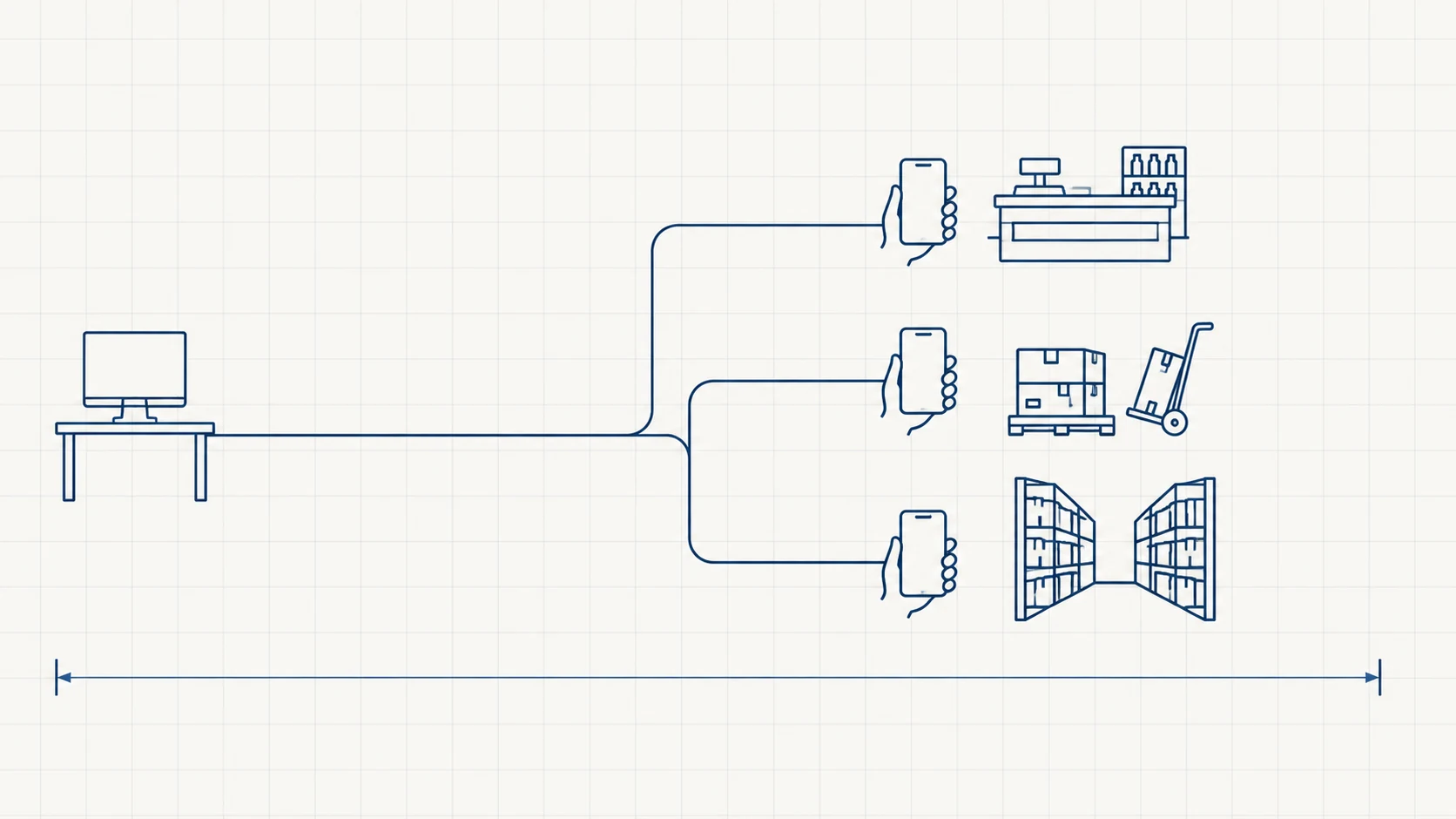
Here is the thing most ERP projects get backwards. The system gets designed around the people who will read the data — the owner, the accountant, the manager with a monthly report. But almost nobody who creates the data is sitting at a desk.
The salesman is in a customer's shop. The delivery driver is at a gate. The storekeeper is standing in an aisle looking at a shelf. The supervisor is on a site. Every one of them is generating the facts the ERP exists to hold, and every one of them is doing it four hours away from a computer, on paper, from memory, at the end of the day.
That gap — between when something happens and when it gets entered — is where most of the errors in an ERP actually come from. A phone closes it.
The gap, not the gadget
Mobile access is not a feature. It's a fix for a specific, measurable problem: the delay between the event and the record.
An order taken at 11am and entered at 7pm has spent eight hours existing only in someone's notebook. In those eight hours, production can't see it, stock can't be reserved against it, and if the notebook is wrong or the handwriting is bad, nobody will find out until the customer complains. Multiply by a sales team and that's not a data entry problem, it's a business running eight hours behind itself.
When the person who saw the thing records the thing, at the moment it happens, three things improve at once: fewer errors (no transcription step), faster reaction (the office sees it now), and — the one owners feel most — no evening spent typing up the day.
Where it actually pays
Not everything belongs on a phone. These four consistently do.
Orders taken where the customer is. A salesman with the item list, the customer's current outstanding balance and their last order in his hand has a better conversation than one with a printed rate list. He also can't promise stock that isn't there, or a price nobody approved.
Delivery and proof of it. Marked delivered at the gate, with a signature or a photo, and the office knows before the driver is back in the vehicle. This one usually pays for itself in disputes avoided — "it never arrived" is a much shorter conversation with a timestamp and a photo attached.
Stock counts and receiving. Counting a shelf and writing it on a sheet, then typing the sheet in later, is two chances to be wrong. Counting into the phone at the shelf is one. The same goes for receiving a delivery against a purchase order at the loading bay.
Approvals. A discount, a purchase order, a leave request — anything where the whole workflow is currently waiting on one person to reach a laptop. Approvals are the highest-value, lowest-effort thing to put on a phone, because the value isn't the screen, it's removing the queue.
Where it doesn't
Be equally clear about this, because putting the wrong things on a phone is how mobile ERP projects get abandoned.
Anything involving a wide table — a month of ledger lines, a stock valuation, a comparison across branches — is worse on a phone, always. Bulk data entry is worse. Configuration, master data setup, anything with twenty fields: worse. Multi-step reconciliation where you need two things side by side: much worse.
A screen you can only read by scrolling sideways is not mobile access, it's a desktop screen being punished. If the answer to "how does this work on mobile?" is that the site is responsive, you have been sold a smaller window, not a mobile workflow.
The honest test: can the task be finished with one thumb, standing up, in under a minute, in bad light? If yes, it belongs on the phone. If no, it belongs on a desk, and forcing it onto a phone will just teach your staff to avoid the system.
App or browser?
You'll be offered both. The short version:
A responsive web page is cheaper, updates instantly for everyone, and is fine for approvals and for looking things up. It has real limits: no reliable camera or barcode scanning, no notifications worth the name, nothing when the signal drops, and staff have to remember a URL and a login.
A native app costs more and has to be installed and updated, but gets the camera and the barcode scanner, gets push notifications, and can hold data locally so a warehouse dead spot doesn't stop a count.
The deciding question isn't cost, it's whether the job needs the camera, notifications or a poor signal handled. Scanning, delivery photos and warehouse work say app. Approvals and lookups say browser. Most businesses genuinely need both, and it is normal to start with the browser for managers and add an app for one field role once that role's workflow is settled.
The part nobody plans for
Three things sink these projects, and none of them are technical.
Whose phone is it? Your staff's own devices, mostly — mid-range Android, a screen with a crack, storage nearly full, a data pack they pay for themselves. Build for that phone, not the one in the demo. And decide the policy before rollout: if the sales team's customer list lives on a personal phone, what happens when that person leaves?
Staff will resist it, for a reason. A phone that records when an order was taken also records when it wasn't. People understand that immediately. The rollouts that work are the ones where the app visibly removes work from the person using it — no evening data entry, no calling the office to check stock — rather than only adding surveillance. If there's nothing in it for the user, adoption dies quietly and you'll hear about it as "the app is slow".
Signal is not uniform. Basements, warehouses, industrial areas, lifts. Ask what the app does there before you ask what it does on Wi-Fi.
If you're deciding right now
Don't buy "mobile ERP". Pick the one role losing the most time to the gap — usually field sales or the storekeeper — and put only that role's daily job on a phone. One role, done properly, two to six weeks. You'll learn more from watching that team use it for a month than from any amount of specification, and the second role costs a fraction of the first.
If you're not sure which role it is, the answer is almost always whoever is currently carrying a notebook.